H3 Image: One idea. A world of uses.

MiniMax H3 Image is an open-source, state-of-the-art model for image generation and editing. With precise instruction following and strong creative understanding, it turns ideas into detailed characters, scenes and visual worlds—giving creators and developers a flexible, controllable way to create.

Explore What H3 Image Can Create

From game worlds and product concepts to spatial scenes and visual storytelling, discover directions for image generation and editing.

Western key art with a rider on horseback at a desert waystation beneath a dust storm

A dramatic character, setting and atmosphere come together in one game-world concept.

From Complex Ideas to Visual Worlds

H3 Image combines generation, editing and visual understanding. Explore game concepts, product forms and spatial composition, then bring selected visuals into a MiniMax Code project.

CG & game concepts

Turn game worlds into detailed concept art

Develop characters and environments with clear scale, materials and atmosphere. H3 Image follows layered visual directions to explore cinematic scenes; review the resulting images before using them in a project.

Plan with MiniMax Code
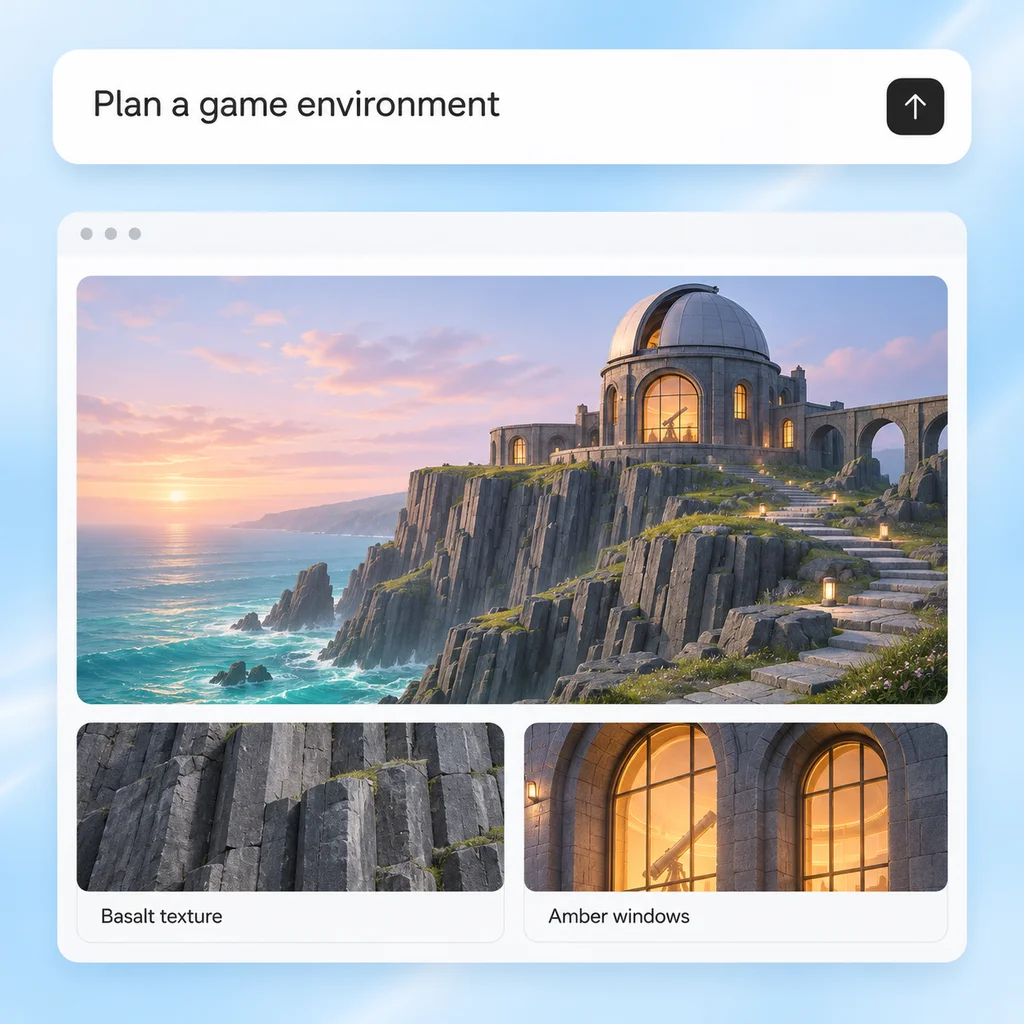
Illustrative blue-and-white workflow board pairing a game brief with a cliffside observatory concept

Product exploration

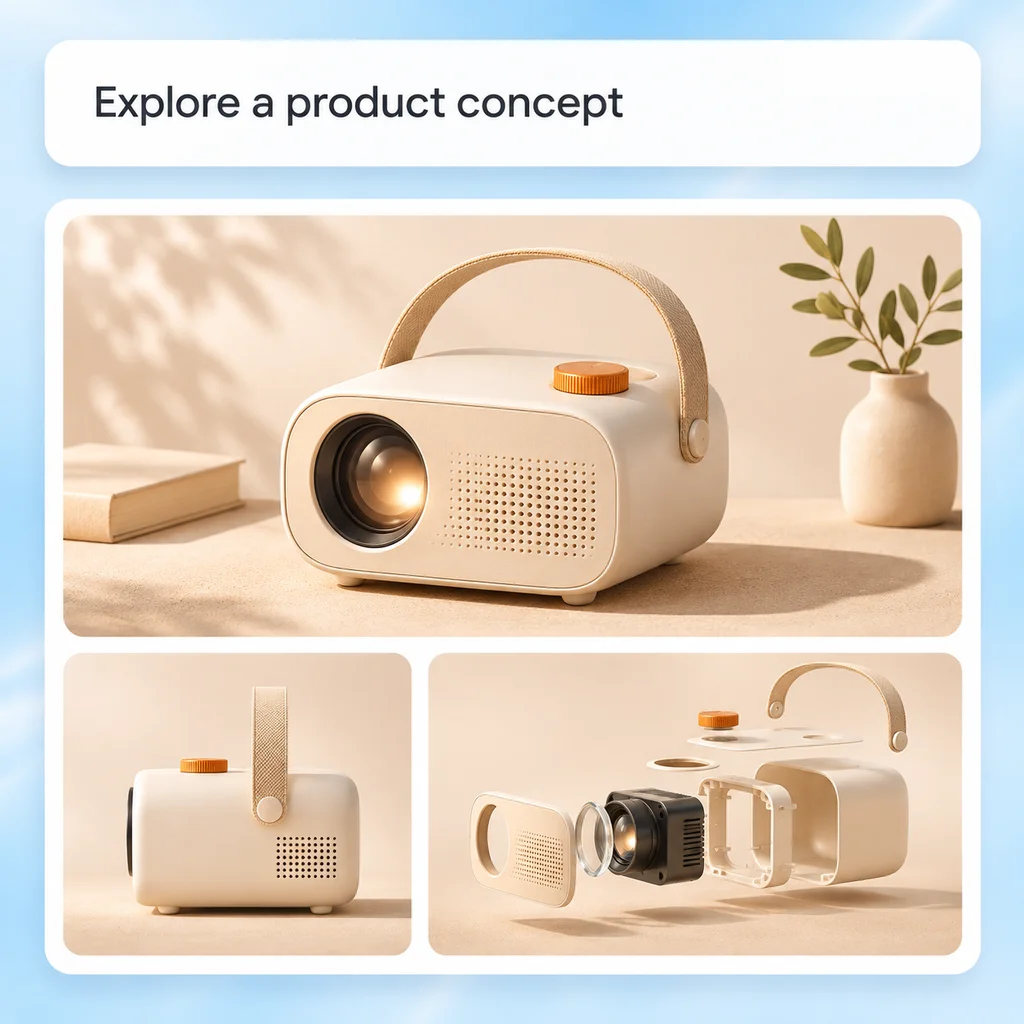
Explore product forms and component structure

Use image references to guide a product's appearance, color and layout. Explore assembled views and exploded visual studies while checking consistency across components and perspectives.

Plan with MiniMax Code
Illustrative workflow board showing a product brief, projector concept and alternate views

Spatial review

Build scenes with meaningful spatial relationships

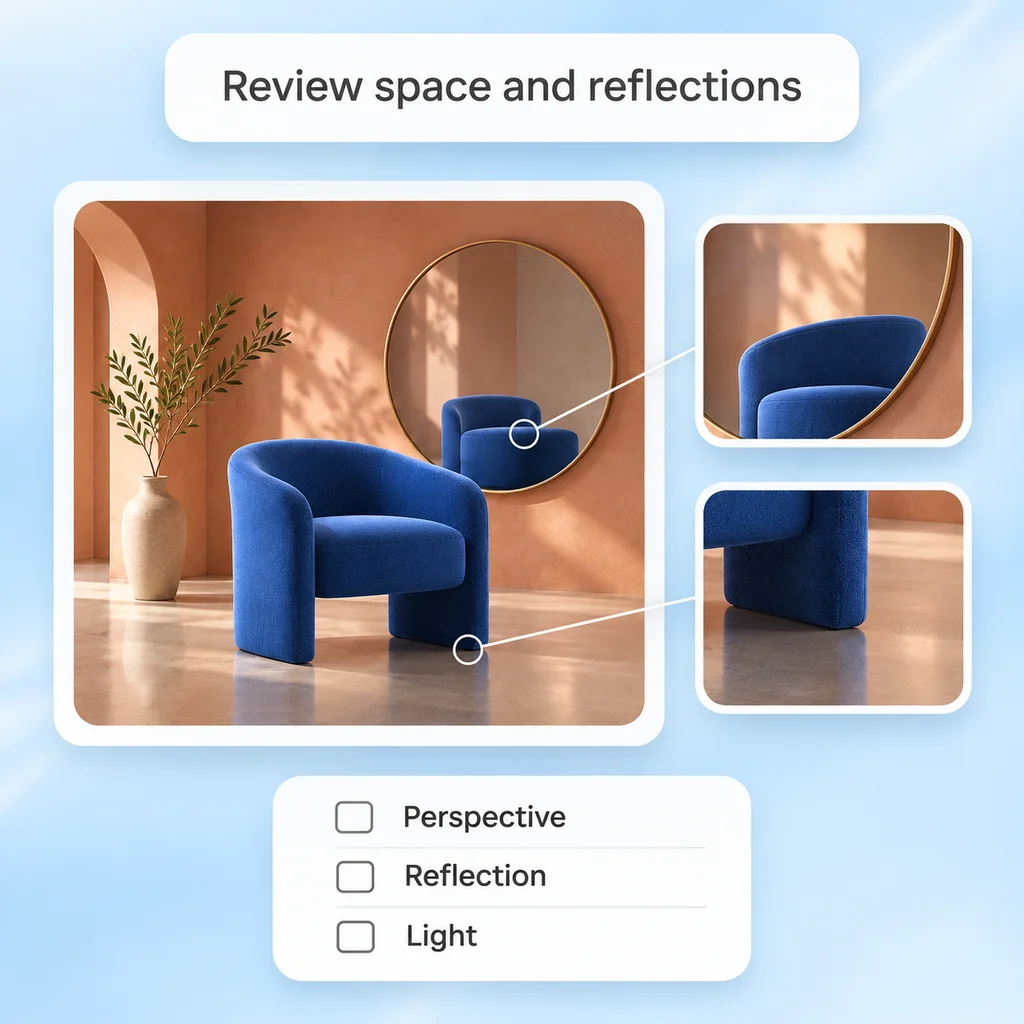
Translate maps, layouts and scene requirements into visual compositions. Examine object placement, perspective, reflections and lighting so the overall image and its details tell the same story.

Plan with MiniMax Code
Illustrative review board highlighting a chair's reflection and floor contact

H3 Image vs. Seedream 5.0 Pro

Choose H3 Image for open-source creation, 16-image references, and complex visual ideas.

H3 Image

Why choose it
An open-source model for both image generation and editing, suited to creators and developers building varied visual workflows.
Working with references
Use up to 16 reference images in one editing request to bring subjects, styles and composition together.
Following complex directions
Translate layered requirements into coherent scenes, including object relationships, perspective and lighting.
Creative strengths
Build detailed game worlds, characters, product concepts and spatial scenes, then refine selected elements.

Seedream 5.0 Pro

Why choose it
Design-focused multimodal image creation.
Working with references
Combines multiple references with a target image.
Following complex directions
Organizes dense visual information.
Creative strengths
Graphics, photography and multilingual visuals.

Create and Refine Images with H3 Image

Turn a visual idea into an image, use references and editing to refine it, then bring the reviewed result into your project.

  1. Step.01

    Define the visual brief

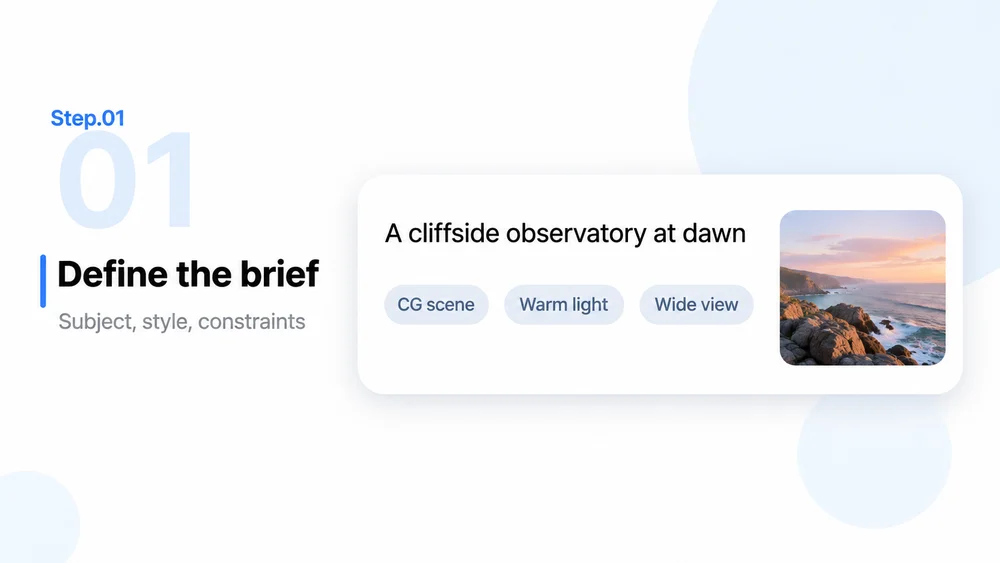
    Specify subject, composition, style and constraints. For an edit, identify a source image you may use and state exactly what should change or remain fixed.

    Step 01 illustration: a structured observatory brief with style, lighting and view choices
  2. Step.02

    Generate and compare directions

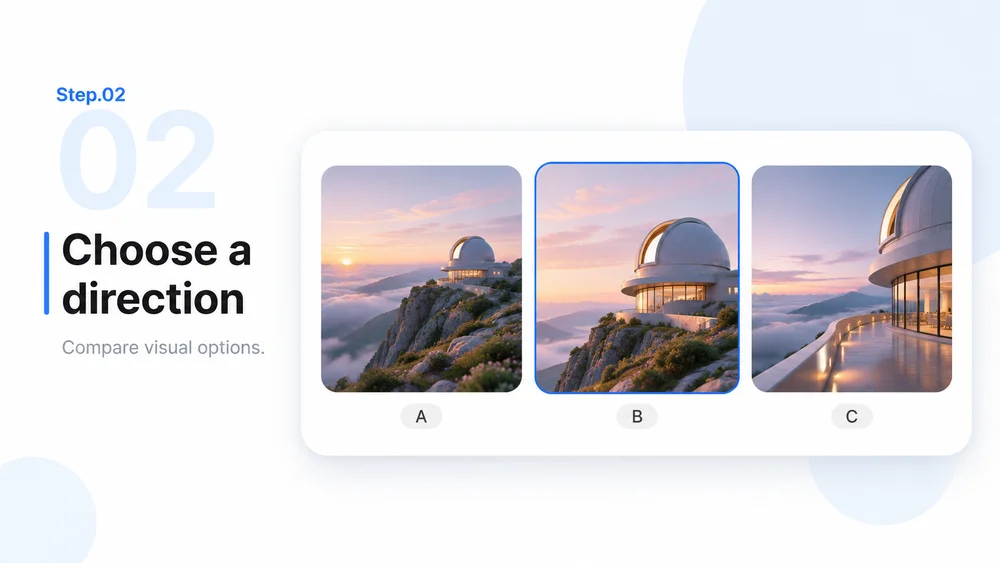
    Use H3 Image to generate a new image or edit a reference. Explore different compositions and compare the results; the model supports 1K, 2K and 4K output-area settings.

    Step 02 illustration: three alternative observatory compositions for comparison
  3. Step.03

    Refine and review the details

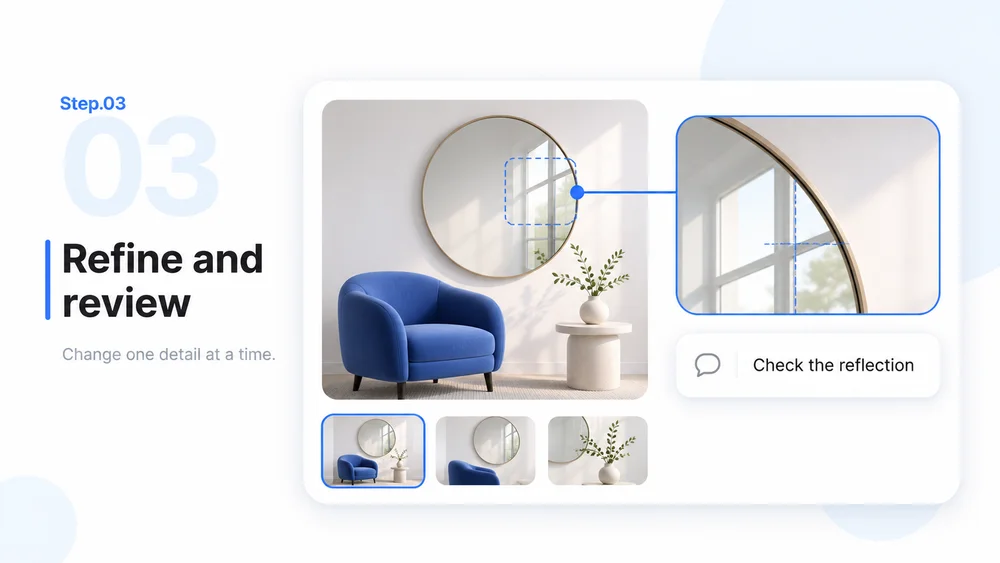
    Change one element at a time. Inspect subject identity, object relationships, reflections, text and unintended changes. Save the version that meets the brief, with review notes.

    Step 03 illustration: reviewing a room and its mirror reflection with a focused note
  4. Step.04

    Build with reviewed assets

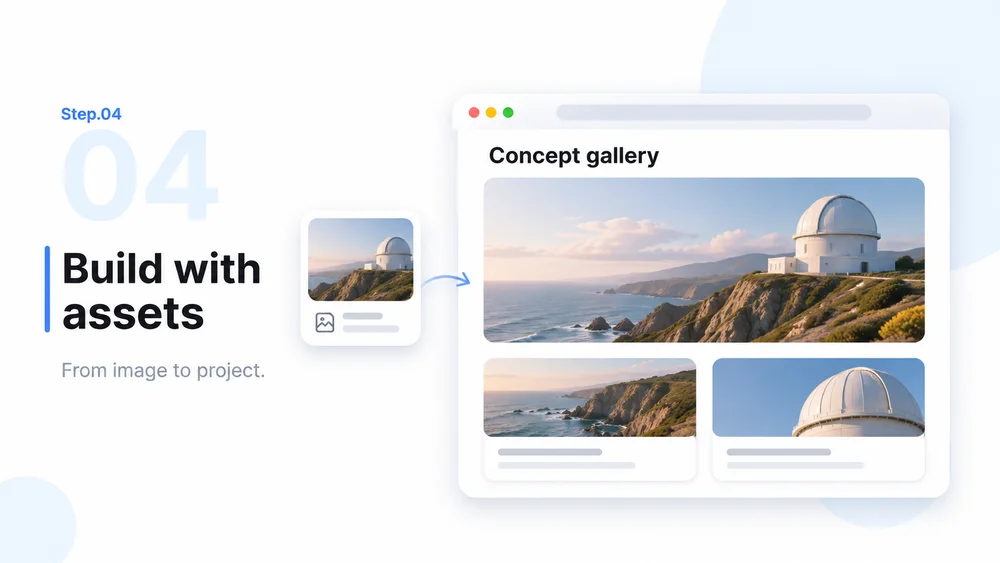
    Use selected images in a MiniMax Code project, such as a gallery, product story or prototype. Check mobile layout and image descriptions before sharing.

    Step 04 illustration: an image-file card and concept gallery in a browser-style prototype

H3 Image FAQ

Explore H3 Image's multi-reference creation, visual understanding and image-editing capabilities.

Turn a Visual Idea into Your Next Project